How to Set a Spending Limit for Gacha Games (Including Zero)
Decide a monthly cap in advance (zero counts), use platform spending tools, track what you spend and recognize warning signs in gacha games.

Gacha games are free to start, and many people play them for years without spending anything. Others spend occasionally, and a smaller number spend far more than they meant to. The difference is rarely willpower in the moment. It is almost always whether a limit was decided calmly, in advance, before a new banner, a countdown timer or a near miss made the decision for them.
This guide is about setting that limit. It does not recommend buying anything, and it treats zero as a perfectly valid budget. It covers how to pick a number, how to use the spending tools built into PlayStation, Xbox, Steam and Epic, how to separate genuine wants from banner hype, how to track spending, which warning signs to watch for, and where to find help if spending has become a problem.
Start With the Most Important Rule: Decide Before You Play
A spending limit only works if it is set when you are not in the middle of a banner. Gacha games are designed around moments of excitement: a new character reveal, a limited-time event, a pity counter that feels close to a guarantee. Those moments are precisely when people make decisions they would not make on a quiet weekday morning.
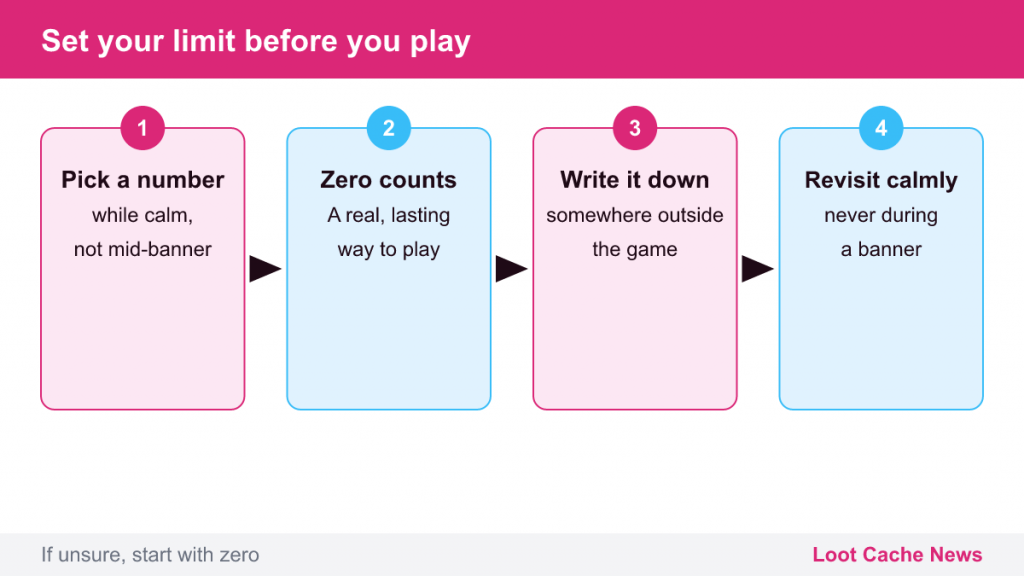
So the first step is simple: pick a number now, while nothing is pulling at you. Write it down somewhere outside the game. It can be a monthly amount, a yearly amount, or a one-off amount for the lifetime of your account.
Zero is a real budget
A spending limit of zero is not a temporary state on the way to spending “a little”. It is a legitimate, sustainable way to play. In the major games covered on this site, including Genshin Impact, Honkai: Star Rail, Zenless Zone Zero and Wuthering Waves, the main story, regions and most events are available to every player. Free players earn premium currency through exploration, quests, events and recurring challenges. What spending changes is speed and collection size, not access to the story.
If you are not sure what your number should be, start with zero. It is far easier to revisit a zero budget later, calmly, than to undo spending you regret.
How to Choose a Number If You Do Spend
If you decide to allow some spending, treat it like any other entertainment expense rather than as an investment in your account.
- Start from your finances, not from the game. Look at what you can comfortably spend on all entertainment each month after essentials and savings. Your gacha budget should be a small, fixed piece of that, not a number derived from what a banner “costs”.
- Use a fixed monthly cap. A cap that resets monthly is easier to keep than a vague “not too much”. If you do not spend it one month, it does not roll over.
- Never budget around pity. The worst case for one limited character on a HoYoverse banner is 180 pulls; in Wuthering Waves it is 160. If your budget is built around reaching a guarantee, it is not a budget, it is a target. Our guide to pity systems explains why those worst cases exist.
- Decide what the money is for, not what it might win. Some players only allow fixed-price items, such as a cosmetic outfit, because they know exactly what they get. That is a reasonable rule if you want one.
- Set a review date. Revisit your number every few months, away from any banner, and lower it if it no longer feels right.
Use the Spending Limits Built Into Your Platform
Every major platform offers tools that put a hard stop between an impulse and a purchase. They are designed mostly for families, but they work for adults too: some people set up a limited account or a prepaid balance for themselves on purpose. Menu names below reflect the official support pages at the time of writing and can change.
PlayStation
For child accounts in a PlayStation family, the family manager can set a Monthly Spending Limit. On PS5 it is found under Settings > Family and Parental Controls > Family Management, then the child’s Parental Controls; it can also be changed in Account Management on the web or in the PlayStation Family app. Sony’s support page notes that the limit is 0 by default for child accounts, that purchases are paid from the family manager’s wallet, and that any appointed guardian can change the limit.
Xbox
Xbox Family Settings, available on the console, on the web and in the free Xbox Family Settings app, lets a parent add money to a child’s account so that the balance acts as a cap, review spending history, and use Ask to Buy, which sends purchase requests to the parent for approval. Settings apply across Microsoft platforms, including the Microsoft Store on PC.
Steam
Steam Families lets adults in a family group manage child accounts: purchase requests that an adult approves, playtime limits and restrictions on store and community features. For adult accounts, Steam has no built-in monthly cap, so a common approach is to load only a fixed amount of Steam Wallet funds and never save a card on the account.
Epic Games Store
Epic’s parental controls include a PIN that can be required for purchases through Epic’s own payment system, and Epic applies a daily spending limit for players under 13. Epic notes that these controls do not cover payments made on other platforms such as PlayStation, Steam, Xbox and Nintendo Switch.
Mobile and direct top-ups
Many gacha games also sell currency through mobile app stores and the publisher’s own web shops. If you play on several devices, check the controls on each one. A limit on your console means little if your phone can still buy currency for the same account. Our upcoming guide to parental controls covers each platform in more detail.
Separating Wants From Banner Hype
Most regretted purchases in gacha games trace back to a few predictable triggers. Recognizing them makes them much weaker.
- The new character reveal. Trailers and livestreams are designed to make a character feel essential. Ask whether you would want this character if there were no timer.
- The countdown. Limited banners end, but popular characters often return in reruns, and new ones keep arriving. Missing one is rarely the end of anything.
- The near miss. Being “only 20 pulls from pity” feels like a reason to continue. It is not: pity counters carry over to the next banner of the same type, so stopping loses nothing.
- The currency gap. Bundles often do not match pull costs exactly, which leaves leftover currency that makes the next purchase feel smaller. Our explainer on drop rates and probability covers why near misses feel more meaningful than they are.
- The first-purchase bonus. Doubled currency on the first purchase of a tier is designed to make spending feel like a bargain. A discount on something you did not plan to buy is not a saving.
A simple cooling-off rule
Many players use a 24-hour rule: if you feel like buying something, wait a full day and decide again, away from the game. Most urges fade. If the purchase still fits your pre-set budget after a day, at least it was a decision rather than a reflex.
Track What You Actually Spend
It is surprisingly easy to lose track of small purchases spread across platforms and months. Tracking makes the real number visible.
- Check purchase histories. PlayStation, Xbox, Steam, Epic, Apple and Google all keep purchase histories in your account. Look at them once a month.
- Keep a simple log. A note on your phone or a spreadsheet with the date, game and amount is enough.
- Total it yearly. Monthly amounts can feel small; the yearly total is often more sobering.
- Use payment-side controls. Prepaid gift cards act as natural caps. Many banks and card providers also offer spending notifications or merchant controls; check what yours provides.
Warning Signs to Take Seriously
Spending on games becomes a problem for some people. These signs suggest it is time to pause and reassess:
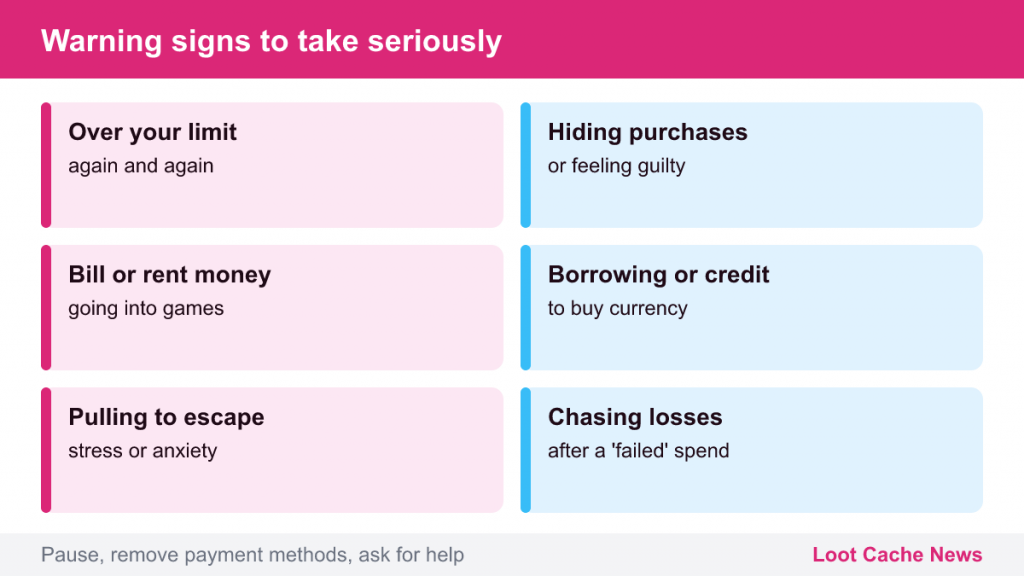
- Spending more than your planned limit, repeatedly.
- Hiding purchases from family or partners, or feeling guilty afterward.
- Spending money needed for bills, rent, food or savings.
- Borrowing money or using credit to buy game currency.
- Feeling anxious or irritable when you cannot pull, or pulling to escape stress.
- Chasing losses: spending more because a previous spend “failed”.
If several of these sound familiar, practical steps include removing saved payment methods, setting a platform limit of zero, uninstalling the game for a while, and asking someone you trust to hold you to your limit.
Where to Find Help
You do not need to wait for a crisis to talk to someone. A doctor or mental health professional can help with compulsive spending, and in many countries organizations that support people affected by problem gambling also help with spending on games involving chance. In the United States, the National Council on Problem Gambling lists its current national helpline number and state services on its website (helpline numbers have changed in recent years, so check the site rather than an old article); in other countries, national health services can point you to local support. Talking about it early is far easier than untangling debt later.
A good budget, including a budget of zero, does not take anything away from these games. It lets you enjoy the parts that are genuinely fun, the story, the exploration and the characters, without the background worry of spending you did not plan.